Category: Apps/Accessories

  • SuperReading Course for Dyslexic Readers by Ron Cole

    SuperReading Course for Dyslexic Readers by Ron Cole

    SuperReading Course: Dyslexia is Done!
    SuperReading Course: Dyslexia is Done!

    The SuperReading course is the most powerful, life-changing experience for dyslexic readers. This program takes a revolutionary approach to solving the issues around dyslexia, which have stubbornly eluded effective resolution since the 1870s. Ironically, the course was not developed with dyslexics in mind at all. It was created to help engineers, developers and hi-tech managers cope with the overwhelming amount of technical information and reports they had to read. The problem to be solved was processing a lot of information quickly and accurately, with excellent recall.

    Traditional “speed reading” proved inadequate to the task. After about 350 words per minute (wpm), comprehension becomes ineffective. Why? Reading involves our internal voice, known as “sub-vocalization.” After 300 to 350 wpm most people can no longer process the words and hit the “Sub-vocalization Barrier” like a brick wall. What was needed was a way around the processing of one word at a time. In 1994 I heard that it would be beneficial if we could read “more than one word at a time.” I tried to do this but found it quite frustrating, and volunteers agreed. Deciding which words to include each time was distracting from the meaning of the words. Multitasking was not the answer!

    Eventually, after trying to separate the words with spaces, tabs and a variety of other ideas, there was only one thing left, though it went against my nature. The answer was to take the decision making out of the formula. The words must already be in groups and the groups separated from one another. The penultimate step was to arrange them in columns where the reader would “hop” from one group to the next, first across to the right and then down to the left, then across- like how you’re reading now. The hopping was necessary to “define” each word group as a single thought or experience. We start off with 2 words per hop, then 3, then 4 and finally 5 to 8 words in a single fixation or glance. Always putting comprehension first, the reader now understands the text but without sub-vocalizing the words! There are simply too many words to pronounce them all in that little time. The Sub-vocalization Barrier was broken. Voila!

    The ultimate step was to have people adapt this motion into “Pattern Reading,” moving down the page in an S-like pattern. The back and forth motion of Eye-Hopping subtly trains people to be able to read backwards, at least up to about 6 or 7 words across. It’s been compared to the “wax on, wax off” reference in The Karate Kid movie. This begins to occur in the 4-word and 5-word Eye-Hop, as sub-vocalization is diminished. The reader is now able to pivot their eyes down the page, effectively “scooping up” the words as they go. At these high speeds the brain is fully “engaged with the page” and we see increased focus, understanding and retention. There is no time for mental drifting and “unconscious regression” is all but eliminated (the eyes skipping around the page). The result is highly focused attention to the meaning with high comprehension and accurate recall. The problems associated with dyslexia disappear and the reading experience is superior to that of non-dyslexics. VOILA!!

    The reading strategies in SuperReading cater to “big picture” learners, which describes most dyslexics, who need to “understand the whole” before attempting the sequences and details of information.  SuperReading facilitates this through effective self-understanding strategies.

    Most dyslexic people are visual thinkers. SuperReading builds on this by enabling the visual understanding of text at all levels: words, sentences, paragraphs, chapters, ideas, and the underlying visual structures of books. Visual strategies enhance memory retention through use of a “memory room” tool and mapping tools. SuperReaders learn a non-linear approach to understanding what they read.

    Most dyslexic people are better at learning by doing, rather than through verbal instruction.  SuperReading enables this by requiring specific kinds of physical practice and the evaluation of progress through measuring reading speed, comprehension and recall.

    Dyslexic readers learn more effectively when learning is directly linked to passionate interests.  SuperReading caters to this by giving free access to the Eye-Hop website, which produces practice materials for reading that is of high interest. Also, the Eye-Hop practice radically reduces or eliminates the effect of visual stress.

    The SuperReading course provides a wide range of skills and reading tools. The reader becomes more skilled with the tools each time they work with them, and understand them more deeply, which suits holistic learners. The program relies on doing and evaluating progress, rather than on memorising.

    As a coach, I understood the importance of a positive mental attitude (PMA). We use the power of positive emotion to generate interest and focus, especially when reading assignments are not of great interest or poorly written (boring). We also cover the crucial area of positive self-talk. How we talk to ourselves internally is one of the greatest determinants of whether we are successful or not in whatever we do. Most people came to the SuperReading course because reading was a problem for them. Their belief was they were slow, poor readers who were not as good as others. They came with low self-esteem. I realized early on that this belief system was holding many of them back from allowing the tools to be totally effective. Some were self-sabotaging and their progress was being artificially hampered. Using the power of positive affirmation, they could now be on a more stable track to reading success. It helped them not only with their reading abilities, it helped them gain ground in all areas of their life.

    In short, SuperReading builds on typical dyslexic strengths: holistic and visual thinking. It avoids the humiliation of the correcting of perceived ‘deficits.’ It’s worth mentioning that the eye-hopping practice also happens to provide better synchronised control over saccades- the rapid movement of the eye between fixation points. Dyslexic readers become effective through activity rather than instruction. Everything about the program fosters the best of what works for dyslexics while not requiring anything which does not work for dyslexics (or for ADD and ADHD). Every test and measurement associated with reading skills verifies the validity of the SuperReading Program, and no assessment has ever measured a negative or neutral outcome. The outcome is that the dyslexic reader gains skill levels beyond those of non-dyslexic readers in a matter of weeks.

    Testimonials, university studies and purchase options can be viewed at www.superreading.com

    by Ron Cole

    SuperReading Course: Dyslexia is Done!

  • KAZ Type’s SEN/Dyslexia Typing Software receives recognition by judges at the BETT Educational Show, London

    KAZ Type’s SEN/Dyslexia Typing Software

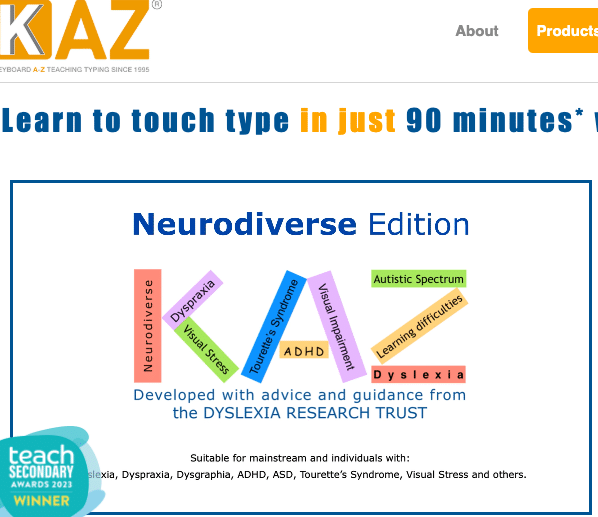
    KAZ Type Limited’s SEN/Dyslexia Typing Software (also known as their Neurodiverse Edition) was shortlisted as a BETT Awards 2019 Finalist for the Special Educational Needs Solutions Sector. The aim of the award was to reward products that make a distinct contribution to supporting learners with special educational needs.

    With regard to dyslexia, the judges were highly impressed with how the program and the skill of touch typing helped with the following challenges:

    Visual Disturbances

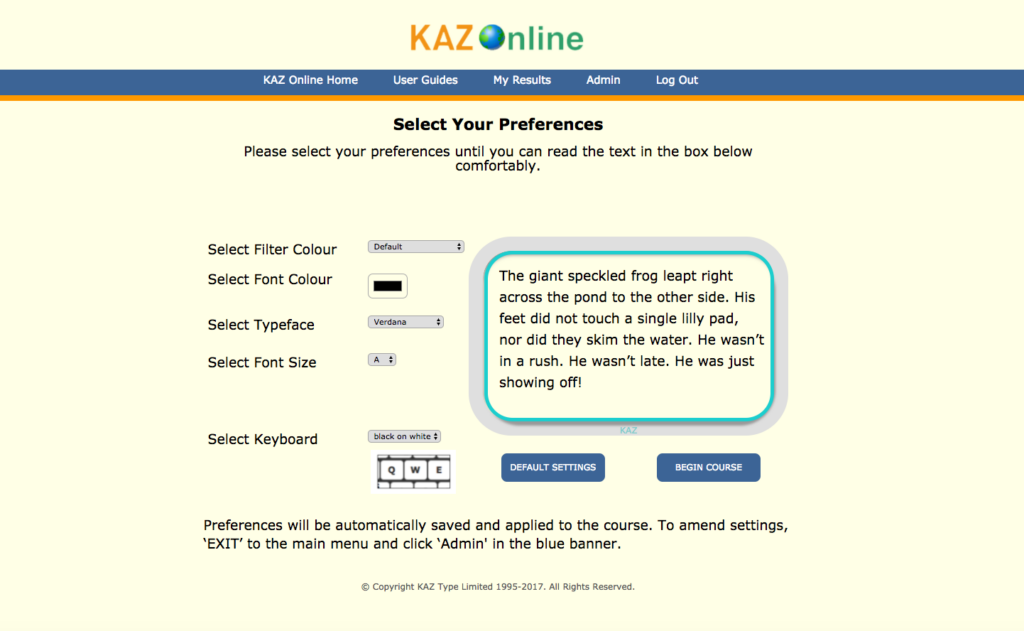
    KAZ’s unique preference screen helps address visual disturbances by offering the user a selection of preferences to choose from. Once chosen, their preferences are ‘saved’ and applied throughout the course – tailor making it to each individual for optimum visibility comfort.

    Cognitive Limitations

    KAZ’s multi-sensory ‘accelerated learning’ teaching method, enables students to learn using more than one sense (sight, sound and touch). With this method, information is more likely to be remembered and retained. Students can hone in on their most comfortable and preferred style of learning (visual, auditory or tactile pathways). If the teaching method closely matches the student’s preferred way of learning, learning becomes more natural, making learning easier and in turn faster – ‘accelerated learning’.

    Difficulties with spelling

    With KAZ’s unique accelerated learning teaching method incorporating ‘muscle memory’, spelling and vocabulary are engrained to memory, as spellings become a series of finger movements and patterns on a keyboard, dramatically reducing the likelihood of transposing and misspelling words. Additionally, the program uses only ‘real words’ and repetition of typing these words helps train students to recognise them by sight, saving the decoding process that often causes trouble when reading. Spell checkers also highlight mistakes and offer alternatives.

    Poor and messy handwriting – (this can lead to embarrassment, frustration and anxiety).

    Teaching typing skills eliminates the need for neat handwriting, as touch typing automatizes the translation of thoughts and ideas into written language. Additionally, errors can be

    easily edited without messy crossings out, resulting in neat and presentable work – automatically boosting confidence and self-esteem.

    Slow work rate – (due to poor penmanship).

    Quick and accurate typing can reduce the amount of time spent on a piece of work, and often increases the amount of work produced. Additionally, when typing efficiently, without even thinking about it (subconsciously) –the  individual’s ‘conscious’ mind can concentrate on the question at hand, concentrate on creative writing but most importantly, type quickly enough to finish their paper.

    Poor Working Memory

    The KAZ course is presented in a structured and light hearted manner and has been designed NOT to overload the working memory. The program is broken down into short modules in order to hold focus and concentration and allows the student to work at their own pace. Additionally, they are allowed to return to previous modules at any time should they wish to refresh. Working at a computer allows students to work in a non-linear fashion, where they can process their thoughts first and structure them later.

    KAZ were thrilled to be shortlisted as a finalist, as the recognition of the product from such a recognised organisation within the education sector and the publicity has greatly helped with the awareness of the product – which is now helping the masses, who continually send them testimonials on how their software has helped them.

    ‘Thank You UK for caring and investing in tools for Dyslexia. You have helped me make a break through!’ K.Hamerski – US

    ‘Thanks for letting me trial KAZ which I found surprisingly easy and I am touch typing this email!  I need to speed up a lot but only practice will do that!’ Kate Ireland – Learning Support – City of London School

    ‘Honestly, your method is like magic. I sent your website to other friends with dyslexic kids and another adult friend who never learned to touch type. Thank you so much for you method. I feel so lucky to have discovered KAZ. I love typing now.’ Rachel Rosenthal – US

    ‘We loved the ability to customize your screen display to ensure you can read comfortably, and the typing and demo areas on the screen are clear and easy to use.’ The School Run magazine Review

    https://kaz-type.com/dyslexia-edition.aspx

  • Hale’s Tale – Learn to Read app

    Hale’s Tale is a fun, innovative approach to learning how to read. Children embark on an exciting adventure where they play mini games that strengthen their early reading skills.

    Originally Hale’s Tale was targeted to all young kids (4-6 years old). However when the app was released it got a lot of positive feedback from parents who have children with dyslexia. Since that the developers concentrated even more on clear pronunciation, a peaceful game environment and individual learning algorithms. Those are of course signs of any good educational game, but especially important to dyslexic children.

    In Hale’s Tale the mini-games are suitably leveled. (Practice sessions gradually become more challenging for kids.) And, as the children play and master different aspects of learning to read, their progress is rewarded; they gain access to exciting, new levels and earn “coins” for purchasing useful items for their avatar.

    Hale’s Tale is a highly motivating, sensible approach to learning how to read, and it inspires kids to master crucial reading skills with joy. It engages even older children (7 to 11 years old), and can be very useful if they are delayed in their reading.

    Hale’s Tale is available for iOS and Android devices. More information available on the developer’s website: https://www.berrytalestudios.com

  • Dyslexic/Dyscalculic children learn times table, thanks to new ‘Math Stories’

    Brain Magic is a stories-based times tables course that gets children with dyslexia &/or dyscalculia to memorize the entire times (multiplication) table in just a matter of hours.

    The parent of a child living with dyslexia & dyscalculia who used these math stories to memorize the times table in a single weekend, had this to say:

    “My 10 year old daughter is a very visual learner and she picked this method up extremely easily. She enjoyed herself as well, and really enjoyed being successful! As she has dyslexia and dyscalculia this was a real confidence booster for her. Just yesterday she had trouble telling the time on an analog clock and I told her to multiply 7 by 5 minutes (she was trying to count it up) and with only a split second later she told me it was 35… When she realized how quickly she can get the correct answer the smile on her face was absolutely priceless!” Melanie Ledger, Mila’s mom, Vancouver, Canada

    Elementary school teacher (and Canada’s current #2 ranked memory competitor) Darren Michalczuk, used his mnemonic experience to develop these math stories as a way to teach children in his own class who were having difficulty with math. And he’s been refining them for the past 20 years.

    “Going through 20 years, you come across every single kid, and it just feels like I’ve kind of done the rotation and seen every disability, or learning disability, or problem that a kid’s come across, and these [stories] have just blanketed every problem that I’ve come across, and have brought the kids out of that area where they were frustrated and crying, and it’s just brought them up to a different level.” Says Darren.

    These are the basics of how it works:

    Bran Magic has given each question in the times table it’s own 30-second story (9×3 has its own story, 6×7 has its own story, etc..).  And in each story are objects that represent both the question and the answer.

    To recall the answer to any math fact, a child listens to it’s funny story, is explained the very logical association, and voila!  To recall a math fact all the child has to do is recall it’s funny story!

    There are several aspect to the course that make it so appropriate for children with dyslexia &/or dyscalculia. For example, the larger number is always represented by the physically larger object.  For example, in one story, a windshield of a car is broken. The car (4 tires) is obviously bigger than the windshield (2 windshield wipers), so the answer is 42. In another example, extra camping string is kept inside the backpack, next to the tent.  The tent (3 poles) is obviously larger than the backpack (2 straps), so the answer is 32.

    There are many many consistencies across all the stories that make the answers easier to recall.  For example, all the object representations are color coded – purple objects =4 (like the purple car), all blue objects = 2 (like the blue backpack), and black objects = 8 (like the black spider).

    Last year, Darren thought that many more children could benefit from this story based approach, so he created a condensed course and partnered up with friend and entrepreneur Drewe MacIver to put on weekend-long Math Camps.  In the fall of 2017, in Vancouver and Toronto, Canada, over 80% of the children who attended a Math Camp learned the times table in one weekend.

    Seeing it in action for the first time, Drewe was stunned, “When parents approached us with damp eyes, saying they really didn’t think their child could learn the times table, and now they had, I knew we had something special.”

    Bran Magic’s course will soon be available for others on Kickstarter, as the company is fundraising to turn Darren’s math stories into an interactive digital course and testing app that children all around the world can use from their home computer, smartphone, or tablet.

    Focused on making this learning approach available to children around the world, Drewe says “It’s not a guarantee that we will hit our funding goal, but I really hope we do because I’ve seen the impact this program has on children first-hand and it’s heartwarming.  The thought of doing that for thousands of children, year after year… We need as many people as possible to believe in us right now.”

    Please fund this project on Kickstarter:

    https://www.kickstarter.com/projects/256662355/brain-magic-times-table-math-stories-for-ages-7-an?ref=33vgoq

  • Ross Linnett’s Journey from Struggling Student to International Business Owner of Recite Me

    Ross Linnett, Founder and CEO of Recite Me, can still remember his first day of school with surprising clarity.

    He recalls, “I was way ahead of everyone else in regard to reading. I think I was reading from around the age of 2, but from age 4 and 5 I was in a special reading class. You had to be pretty bad at English to get into this class!”

    At that point, growing up in the mid 80s in north east England, Ross and his parents had never heard of dyslexia. Perhaps his teachers didn’t either. Knowledge of dyslexia still had a long way to come, but it quickly became known that Ross needed extra help.

    Ross explains, “It was a less pressured environment, so I didn’t feel like I was getting into trouble. If a teacher really took their time with me, I could excel. It was obvious then that I needed an adjustment.”

    Despite the clear signs that Ross needed extra assistance in the classroom, and even dyslexia testing, support from his school was minimal. Ross recalls, “One teacher even told me, ‘don’t be stupid, you don’t have dyslexia’ and a dyslexia specialist himself once looked at my school essay and told me I didn’t have dyslexia.”

    During this disorienting time in school, Ross credits his talent in sports as building his confidence in school despite his struggles with reading and writing. “You never really get bullied at school if you’re good at sport, and it also gives you a lot of confidence,” Ross says, “But the thought of reading aloud used to send shivers down my spine. I’d be dreading it all day. It was the equivalent of jumping off a 100ft cliff.”

    It wasn’t until Ross became President of the Students’ Union at Northumbria University that he forced himself to speak publicly and face his dyslexia head-on. As he explains, “I was presenting at the Students Union when somebody pointed out that their father specialized in dyslexia and suggested I get tested for it. I got myself tested at university, and they confirmed I had dyslexia.”

    Ross soon learned that he wasn’t alone. As one of the most common learning disabilities in the world, common vision impairments and learning disabilities mean that millions of people around the world struggle with web accessibility, leading them to miss out on the valuable resources of the Internet including career development, socialization, learning tools and engaging with businesses.

    The need for portable, cloud-based software that would make online content accessible to a variety of needs, including dyslexia and common vision impairments, became crucial. It was from this experience that Recite Me was born.

    “We were involved with the Disability Discrimination Act as a Student Union at the time, but I was very aware that employers had to make the adjustments. It meant that every organization, [under the Disability Discrimination Act in the United Kingdom], had the responsibility to cater to people with dyslexia or visual impairments, in the same way that buildings had to install ramps for people with physical disabilities. Everyone had to do it, but nobody was because the technology wasn’t there, so that’s when I came up with Recite Me.”

    Since its early days, Recite Me’s software has been improving the web experience for millions of customers around the world who live with vision impairments, disabilities, or dyslexia. As businesses continue to move their operations online, and with an aging population, we expects our software to become even more vital in the future.

    Ross adds, “When you get diagnosed later in life, you tend to question things more. It made me realize how negatively dyslexia had shaped my life up until that point.” Despite a difficult time at school, Ross has certainly not let dyslexia hold him back.

    After much success in the UK, Recite Me is now expanding their operations to the US. Part of this expansion plan included opening a new office in nearby Naples, inside the Naples Accelerator. Despite our growth, our original mission remains at the forefront: to support and aid those with dyslexia or impairments around the world.

    http://www.reciteme.com

    Article written by Rachel Holbrook

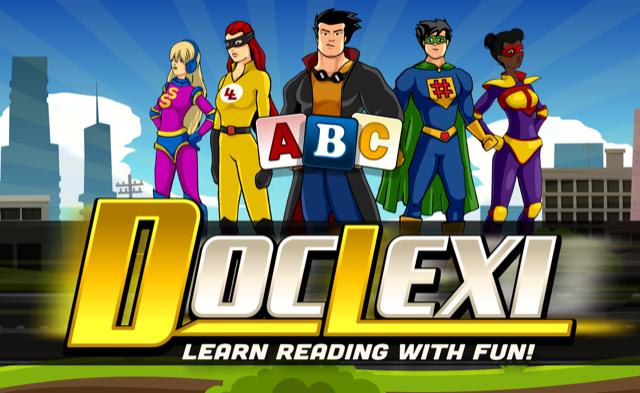
  • DocLexi™ – Learn Reading with Fun!

    All new comprehensive app to improve children’s reading and spelling skills, based on proven therapeutic concepts

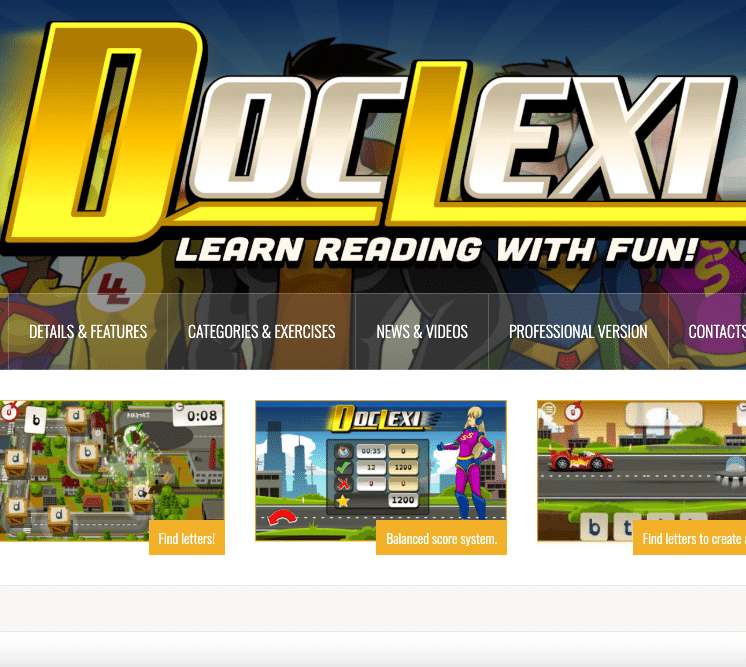
    DocLexi™ has been developed with the objective of helping children learn how to read, spell, and write with fun. It focuses on helping struggling readers and those with early signs of dyslexia. DocLexi™ has been built based on proven therapeutic concepts and delivers a comprehensive software to improve children’s spelling, reading, and writing skills. It was developed by dyslexia specialists based on their extensive experience and continuously tested with children during development. The games and activities are currently aimed at 5 to 7 year olds (up to grade 2 reading/writing skills). There is a consumer version available for children and their parents, as well as a professional version for specialists, therapists, and teachers. The professional version provides for a seamless integration with a therapist by allowing them to customize the app to meets the child’s needs and track progress by logging into the administration tool in their browser.
    Lori Johnston (M.A., CCC-SLP, Licensed Speech Language Pathologist), who developed the concept for DocLexi™, says: ”My 25+ years of experience in working with children who have reading and writing difficulties has enabled me to help create an app called DocLexi™. It has always been my dream to provide children with a tool that makes it easier and more fun for them to overcome their learning difficulties. DocLexi™ is the result of that dream and I am excited to see it come to life.”
    The program utilizes a multi-sensory approach by incorporating the following skills: visual scanning and tracking, visual spatial, recall, sequencing, phonological processing, and phonics (encoding and decoding).
    The exercises are embedded into the exciting DocLexi™ story. The children help the heroes achieve a happy ending by solving the individual learning tasks.
    The DocLexi™ team developed a machine that helped children learn to read, spell, & write. The Outer Space Mixer Monsters stole the machine, broke it apart and hid the pieces all over the world. The DocLexi™ Team is traveling and completing tasks to find the parts to the machine. On all their missions, the children are accompanied by DocLexi™ and his friends. In each game, the children can earn coins to customize their own avatar friend, give him a name, and change his looks and outfits. It’s seriously fun!
    DocLexi™ is available in English and German at launch.
    DocLexi™ covers a broad array of skills to help children learn reading and writing:
    • Sequencing tasks (letters and numbers)
    • Identifying letters and numbers
    • Syllables (number of syllables in a word)
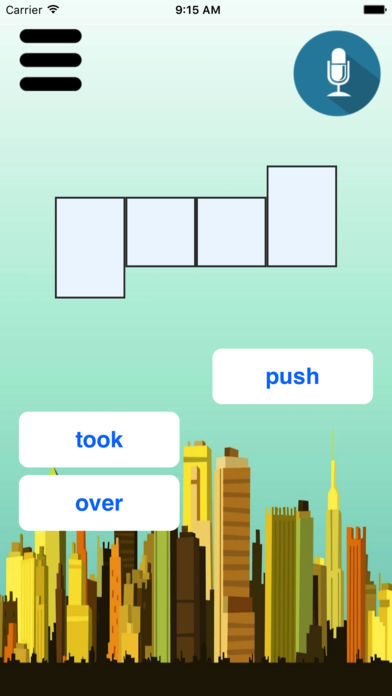
    • Blending – find words (by sounds or picture)
    • Building words (unscrambling words using phonics patterns)
    • Reading order (tracking left to right, top to bottom)
    For a sneak preview check out this video and visit http://www.doclexi.com/ for more information.
  • KAZ – SEN/Dyslexia Typing Software

    If individuals with dyslexia are equipped with the correct tools, they stand a far greater chance of reaching their full potential.

    Trials and feedback from special needs teachers across the world have proven that touch typing and using a computer are formidable and even life changing tool that opens doors for individuals with dyslexia, as it presents a new and powerful medium for learning and communicating – introducing them to a new accessible academic world they can cope in and even excel in!

    The disturbances experienced by dyslexics makes writing and producing a piece of work extremely challenging. The level of concentration and effort involved can be exhausting and can affect the overall structure and quality of a piece of work.

    The skill of typing can help eliminate many of these challenges and frustrations and early acquisition familiarises users with the keyboard, allowing them to fully appreciate the tools available to them through typing and using a computer.

    When typing:

    • The need for neat handwriting is no longer a priority.
    • Errors can be easily edited/corrected without messy crossings out, resulting in neat and presentable work.
    • Spell checkers highlight mistakes and offer alternatives.
    • Reassurance with the above automatically boosts confidence – promoting experimentation with vocabulary and spelling and allows concentration to be focused on content.
    • Quick and accurate typing can reduce the amount of time spent on a piece of work and often increases the amount of work produced.
    • Physical dexterity is enhanced, helping handwriting skills.
    • Reading, spelling and vocabulary are engrained to memory – with ‘muscle memory’, spellings become a series of finger movements and patterns on a keyboard, reducing the likelihood of transposing or misspelling words.
    • The working memory is not overloaded. Students can work at their own pace in a non-linear fashion, where they can process their thoughts first and structure them later.

    KAZ’s NEW SEN/Dyslexia typing software was developed with advice and guidance from the British Dyslexia Research Trust.

    Incorporating a multi-sensory approach throughout and available with US and UK accents and keyboards, it teaches typing skills whilst minimizing disturbances related to visual stress, by means of a unique ‘Preference Screen’ – tailor making the course to individual’s needs.

    Preferences include:-

    • A choice of coloured background/filter screens – for reducing white screen glare.
    • A choice of 2 specific research based background/filter colours – for steading letter movement and blurring.
    • A choice of dyslexic friendly typefaces – for ease of reading.
    • A choice of font colour – for contrast from background screen colour.
    • A choice of font size – for optimum visibility comfort and to minimize fusing and crowding of letters.
    • A choice of Keyboard – for optimum visibility comfort.

    Once the user has selected their preferences and can read the sample text comfortably, these options are applied throughout the course, ensuring the learning experience is a comfortable and enjoyable one. No other typing tutor works in this way.

    The program uses a unique and proven ‘accelerated learning’ teaching method. Incorporating both ‘muscle memory’ and ‘brain balance’, it engages the major senses of sight, sound and touch simultaneously, radically enhancing memory retention and recall – which is why it is so effective.

    Using specific combinations and progressions of just 11 words in 5 scientifically structured phrases, the method trains the fingers on both hands to work symmetrically and simultaneously – a direct result of both hemispheres of the brain working at the same time – ‘brain balance’.

    With repetition, reading, spelling and vocabulary are engrained to memory and with ‘muscle memory’ spellings become a series of finger movements and patterns on a keyboard, reducing the likelihood of transposing and misspelling words.

    The Course is presented in a structured but light hearted manner to make learning fun and enjoyable. It solely focuses on teaching typing and does not include gaming or try to teach typing with other subjects, as research has proven that this splits concentration and may overload the ‘working memory’.

    The program offers both spoken and written instruction and includes ‘speaking keys’ covering the a-z keys. It is delivered in 5 short modules, in order to hold interest and concentration and once again, avoid over loading the working memory. The student is allowed to progress at their own pace, acquiring the skill and gaining speed and accuracy without even realising it. Additionally, a visual of the keyboard is always on the screen, encouraging the user to look up at the screen and not down at their fingers (so there is no need to cover hands or keyboard).

    The combination of KAZ’s unique ‘Preference Screen’ and its proven accelerated learning teaching method delivers a simple, yet dynamic course.

    The software is suitable for ages 6+ and is available in ‘Junior’, ‘Adult’ and ‘Corporate’, editions  – Online, as a Download or via SCORM for LMS.

    Since launch it has received wonderful reviews and is now promoted by the British Dyslexia Association and many SEN resellers across the world.

    www.kaz-type.com

  • Free app for spelling: FCJ Spelling App

    FCJ Spelling is an app designed to help people improve their spelling with a special emphasis on dyslexia. It contains 10 exercises, customizable words, the option of a colour overlay, and a fun word card game.


    The app allows teachers to monitor their students results remotely. Once all the students in a class have been added the teacher can view all their students’ results with the press of a single button. All results are encrypted and private.


    The app was developed by three 13-year-old Irish students: Billy Lee and Eamon Lalor and was programmed by Niall Kehoe. The team would welcome any suggestions on how they might improve the app in later editions. You can contact them at the Twitter handle @KehoeGames.


    The app is available on the iOS App Store free of charge at the link below and the authors hope to release an Android version in the near future.


    Apple iTunes store:
  • New Dyslexia Extension for Google Chrome to make the web easier

    A new browser extension has been launched which adds a number of features to your web browser to make it easier if you have dyslexia. It takes less than 30 seconds to install and then you can customize the features you would like in the extension, it offers:

    * Ability to read paragraphs to you while underlining each word spoken
    * Replacing white backgrounds with pastel colors for legibility
    * Make all text on a page using one of 10 dyslexia friendly fonts
    * An empathy section showing a few ways that try to mimic how websites look to dyslexics

    The extension is currently only available for Chrome but more support and features are coming soon. You can install the extension here:

    http://www.dyslexiaextension.com

    You can also see a screenshot here:

    Dyslexia Extension

    The extension was built by Charles Douglas-Osborn, currently a programmer at Google, who wanted to help other dyslexics after working on improving how dyslexia was handled at the company. You can read more about his journey here:
    https://medium.com/@charlesdouglasosborn/i-have-dyslexia-and-thats-ok-b2801d9694bb#.3b0hjq38c, or contact him on Twitter if you have ideas for the extension: http://www.twitter.com/cdouglasosborn